


Not All Laptop Chargers Are Created Equal
Think any charger will do? Think again. Your laptop charger is not just a plug. It is an active power delivery system, and using the wrong one can hurt your device’s performance, shorten its lifespan, and in some cases create a real safety risk.
This guide breaks down what actually happens when you use the wrong laptop charger, how to find the correct one for your device, and how businesses can avoid the cost and safety issues that come from mismatched charging gear.

What Most People Do Not Realize About Laptop Chargers
A laptop charger’s job is to deliver a very specific amount of voltage and wattage that matches what your laptop was built to accept. Here is what that actually means in practice.
- Your battery can drain while plugged in. If your charger supplies less wattage than your laptop needs, especially during heavy work, your battery percentage can drop even while it is connected to power. The laptop is using power faster than the charger can supply it.
- Not all USB C chargers are equal. Physical fit does not equal compatibility. A phone or tablet charging block will physically plug into a laptop, but it delivers far less wattage than a laptop requires. The result is ultra-slow charging, or no meaningful charging at all.
- The cable itself can bottleneck power. Even a high-powered wall adapter cannot help you if it is paired with a basic or lower-rated USB-C cable. The cable has its own wattage ceiling, which caps your charging speed regardless of the charger’s capabilities.
- Cheap replacements are a real safety hazard. Off-brand, uncertified chargers often skip the internal voltage regulation hardware that keeps power delivery steady. This can lead to power spikes, accelerated battery wear, overheating, and, in more serious cases, an actual fire risk.
- Mismatched chargers cost businesses money. When a team is using a mix of chargers that do not match their actual devices, it leads to premature battery replacements and a steady stream of help desk tickets that could have been avoided.

How to Find the Correct Charger for Your Device
Finding the right charger is not guesswork if you know where to look.

Locate your system specs.
Check the sticker on the bottom of your laptop for its DC input rating, look at the output rating printed on your original adapter, or check the manufacturer’s support page.

Understand the wattage formula.
Voltage multiplied by amperage equals wattage, written as V x A = W. This is how you calculate or confirm the actual power rating of any charger.
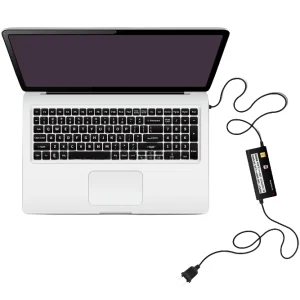
Match power requirements exactly.
Choose a replacement charger that matches or exceeds your laptop’s required wattage, and make sure the voltage matches exactly. Wattage can sometimes exceed the requirement safely, but voltage needs to match.

Verify connector and cable ratings.
Confirm the barrel plug size or USB-C power delivery specification matches your laptop, and pair any high-power adapter with a cable rated for 60W or higher, or 100W for higher-power laptops.
A Simple Fix for Businesses Managing Multiple Laptops
One of the easiest ways to prevent mismatched chargers on a team is also one of the simplest: label each charger to match its device.
For example, if a laptop is labeled Laptop ADV001, create a matching label for its charger, such as Charger ADV001. This small step means chargers stay paired with the correct laptop, wattage mismatches become far less likely, and troubleshooting a charging issue takes seconds instead of guesswork.

Fast Safety and Purchasing Checklist
Keep this list handy the next time you or your team needs a replacement charger.
- Match wattage. Verify the exact wattage requirement on your original block or your laptop’s system specs.
- Verify certification. Look for official safety marks, such as USB IF certification for USB C gear, to confirm proper safety testing.
- Buy certified. Purchase replacement chargers directly from the device manufacturer or a certified retailer rather than an unbranded option.
- Inspect often. Swap out cables immediately if they show fraying, exposed wiring, loose connections, or feel unusually hot during use.
Frequently Asked Questions about Laptop Chargers
Can using the wrong charger damage my laptop?
Yes. A charger that does not match your laptop’s required wattage can cause slow charging, battery drain even while plugged in, faster battery degradation, and in some cases overheating that creates a safety risk.
Why does my laptop battery keep dropping even though it is plugged in?
This usually means the charger is not supplying enough wattage to meet your laptop’s power demands, particularly common with underpowered USB C chargers being used on laptops that require more power than the charger can provide.
Are all USB C chargers compatible with all USB C laptops?
No. USB C chargers vary significantly in the wattage they can deliver. A charger built for a phone or small tablet often cannot supply enough power for a laptop, even though the port physically fits.
Is it safe to use a cheap, unbranded replacement laptop charger?
Uncertified, low-cost chargers often lack proper internal voltage regulation, which increases the risk of inconsistent charging, faster battery wear, and overheating. Manufacturer-approved or officially certified chargers are a safer choice.
How can I tell if a laptop charger is safe to keep using it?
Check for official certification marks, confirm the wattage matches your laptop’s requirements, and inspect the cable regularly for fraying or damage. If a charger feels unusually hot during normal use, stop using it and replace it.